
ActiveReports JSviewer支持在Core 环境下进行报表的集成,本节就讲如何一步步的在 .Net Core 框架里集成ActiveReports报表控件
环境需求:开发环境 VS2019、.NetCore 3.1 、ActiveReportsV14
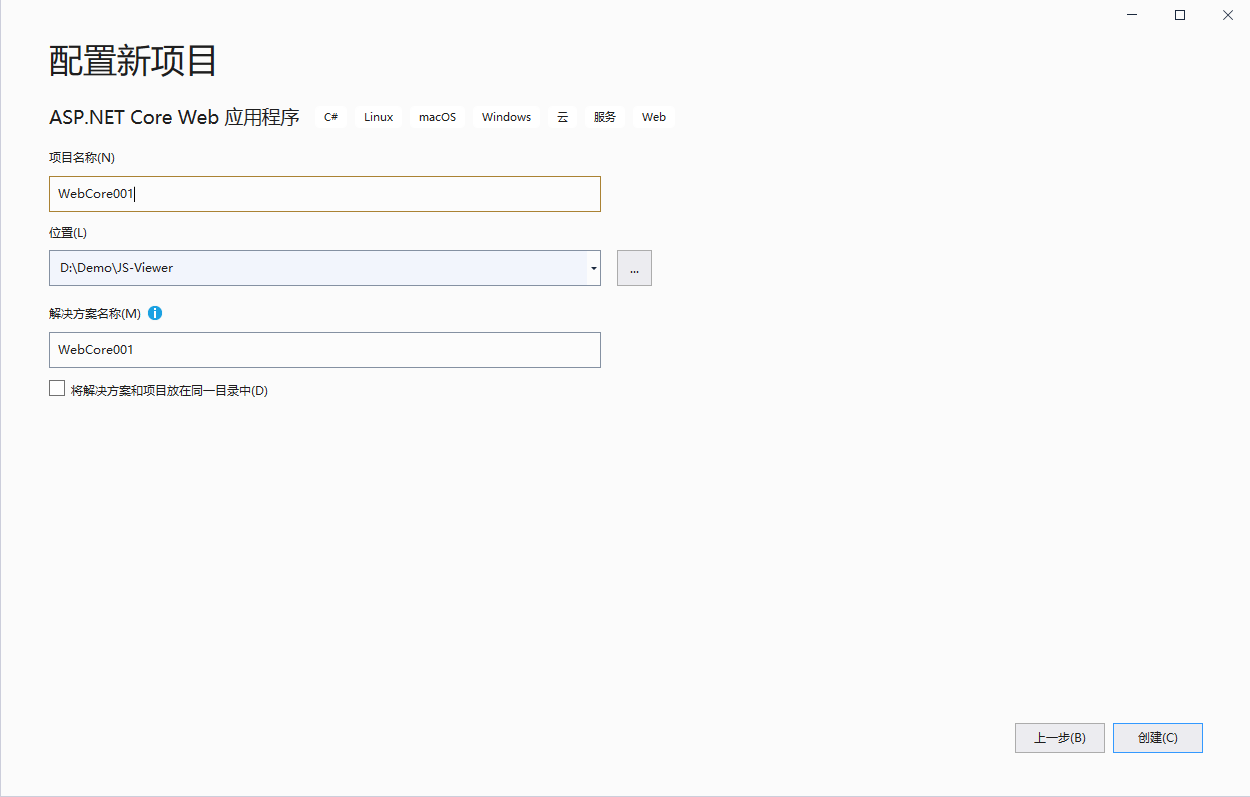
1.打开 Visual Studio 新建项目,创建Asp.Net Core Web应用程序

2、命名项目名称和项目位置
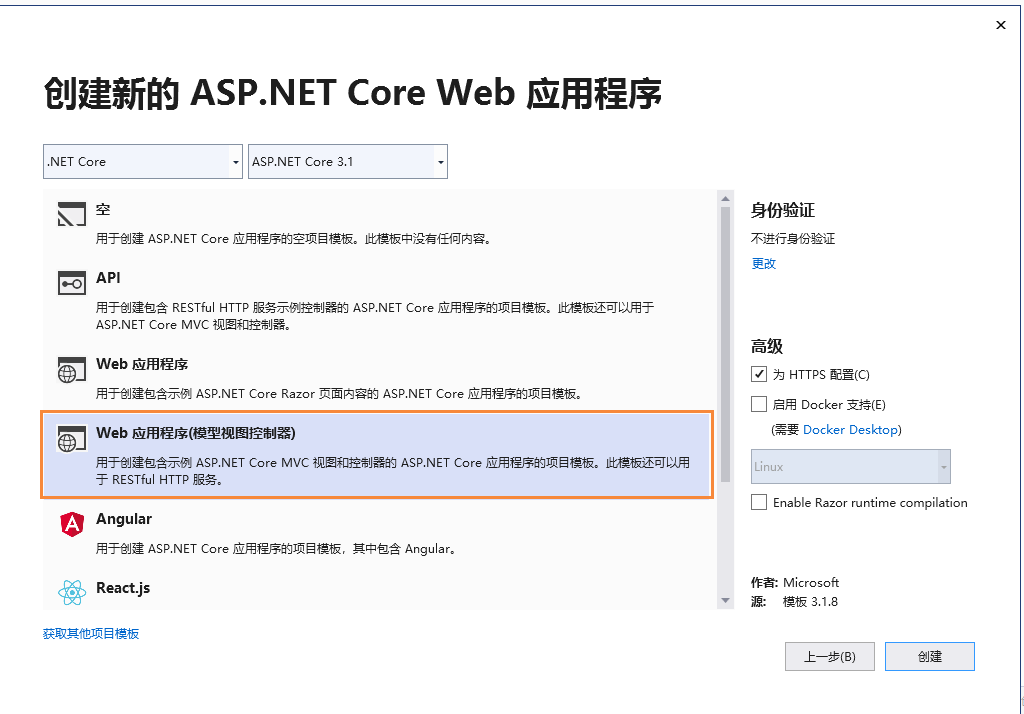
3、选择Web 应用程序(模型视图控制器)
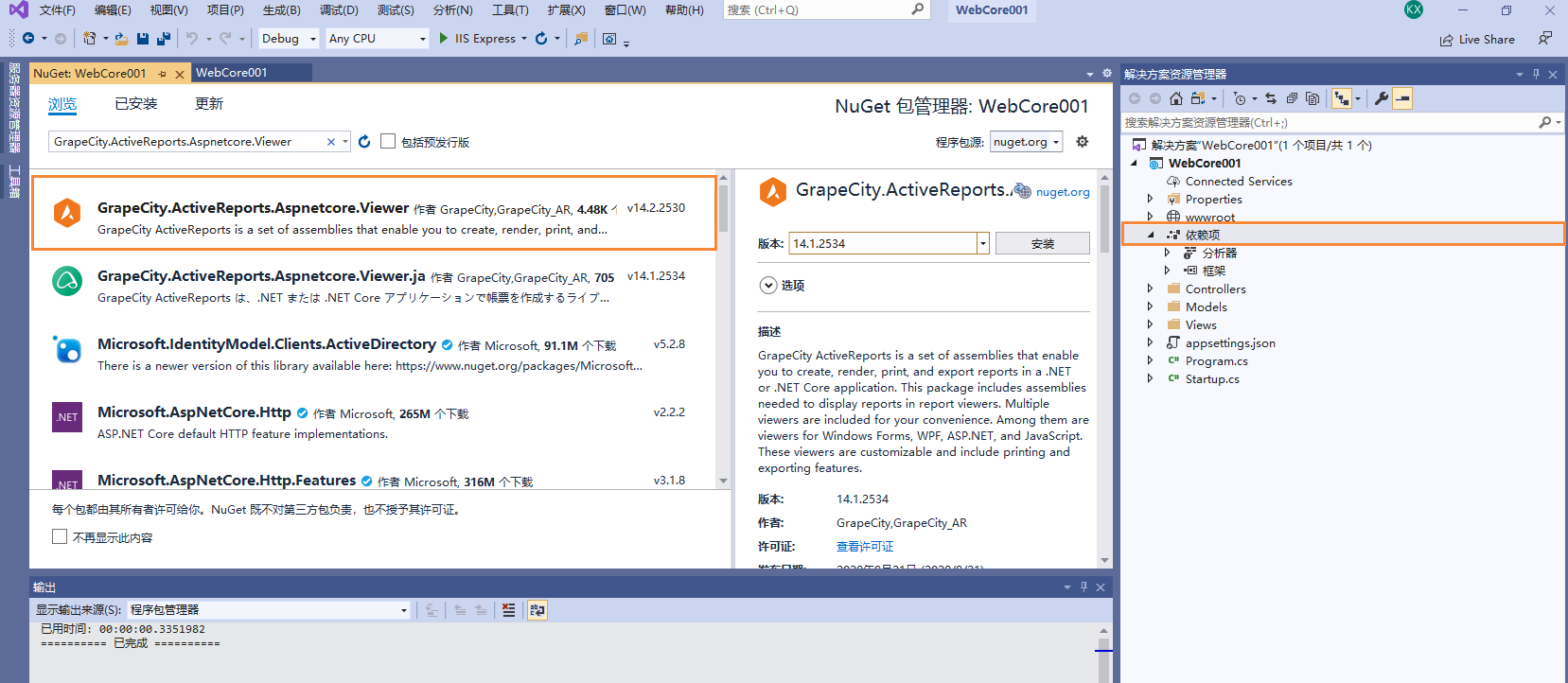
4、安装ActiveReports Nuget程序包。为此,请打开Nuget软件包管理器并安装软件包:
“ GrapeCity.ActiveReports.Aspnetcore.Viewer。”
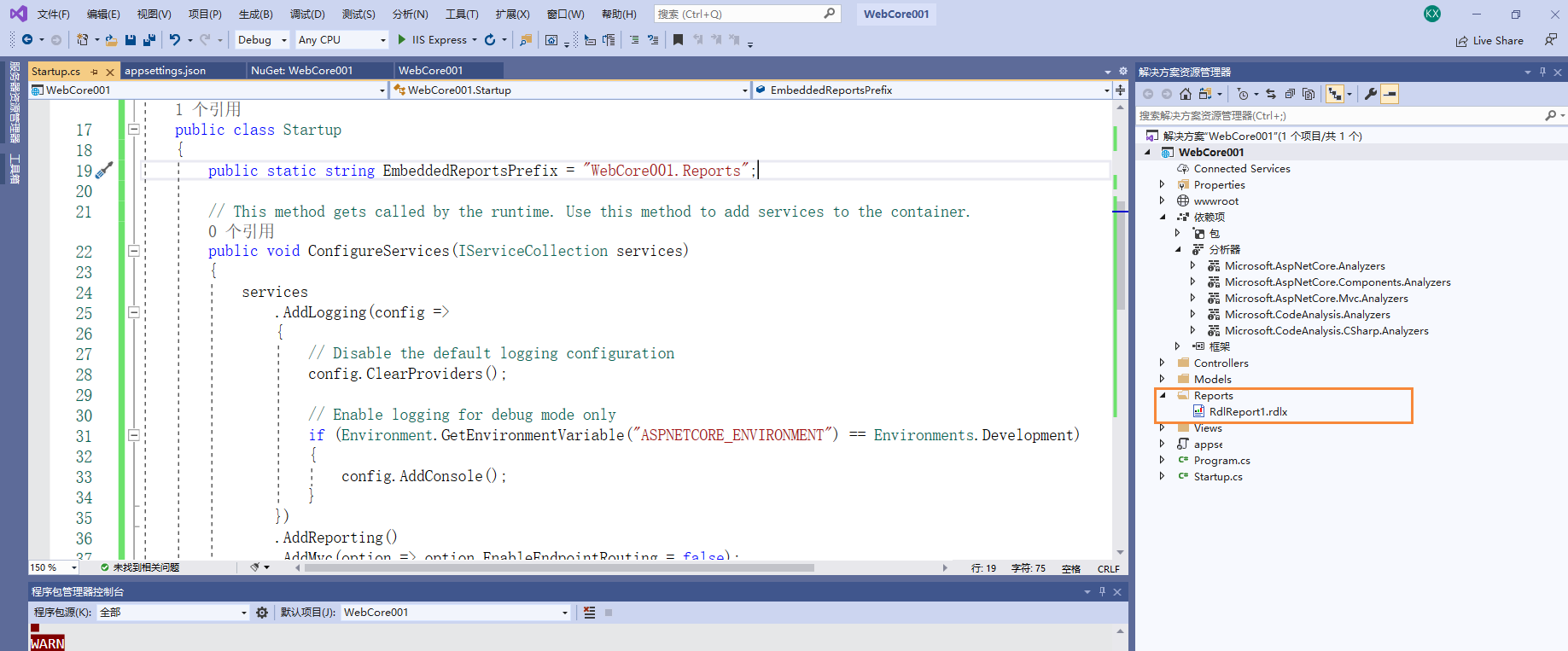
5、打开Startup.cs并将以下内容添加到ConfigureServices和Configure块内:
   public class Startup
    {
        public static string EmbeddedReportsPrefix = "WebCore001.Reports";

        // This method gets called by the runtime. Use this method to add services to the container.
        public void ConfigureServices(IServiceCollection services)
        {
            services
                .AddLogging(config =>
                {
                    // Disable the default logging configuration
                    config.ClearProviders();

                    // Enable logging for debug mode only
                    if (Environment.GetEnvironmentVariable("ASPNETCORE_ENVIRONMENT") == Environments.Development)
                    {
                        config.AddConsole();
                    }
                })
                .AddReporting()
                .AddMvc(option => option.EnableEndpointRouting = false);
        }

        // This method gets called by the runtime. Use this method to configure the HTTP request pipeline.
        public void Configure(IApplicationBuilder app, IWebHostEnvironment env)
        {
            if (env.IsDevelopment())
            {
                app.UseDeveloperExceptionPage();
            }

            app.UseReporting(settings =>
            {
                settings.UseEmbeddedTemplates(EmbeddedReportsPrefix, Assembly.GetAssembly(GetType()));
                settings.UseCompression = true;
            });

            app.UseMvc();
        }
    }
6、添加一个新文件夹并将其命名为“ Reports”(可以随意命名)。我们将在这里放置所有报告文件。现在,您可以添加现有的ActiveReports报表或创建一个新的报表。
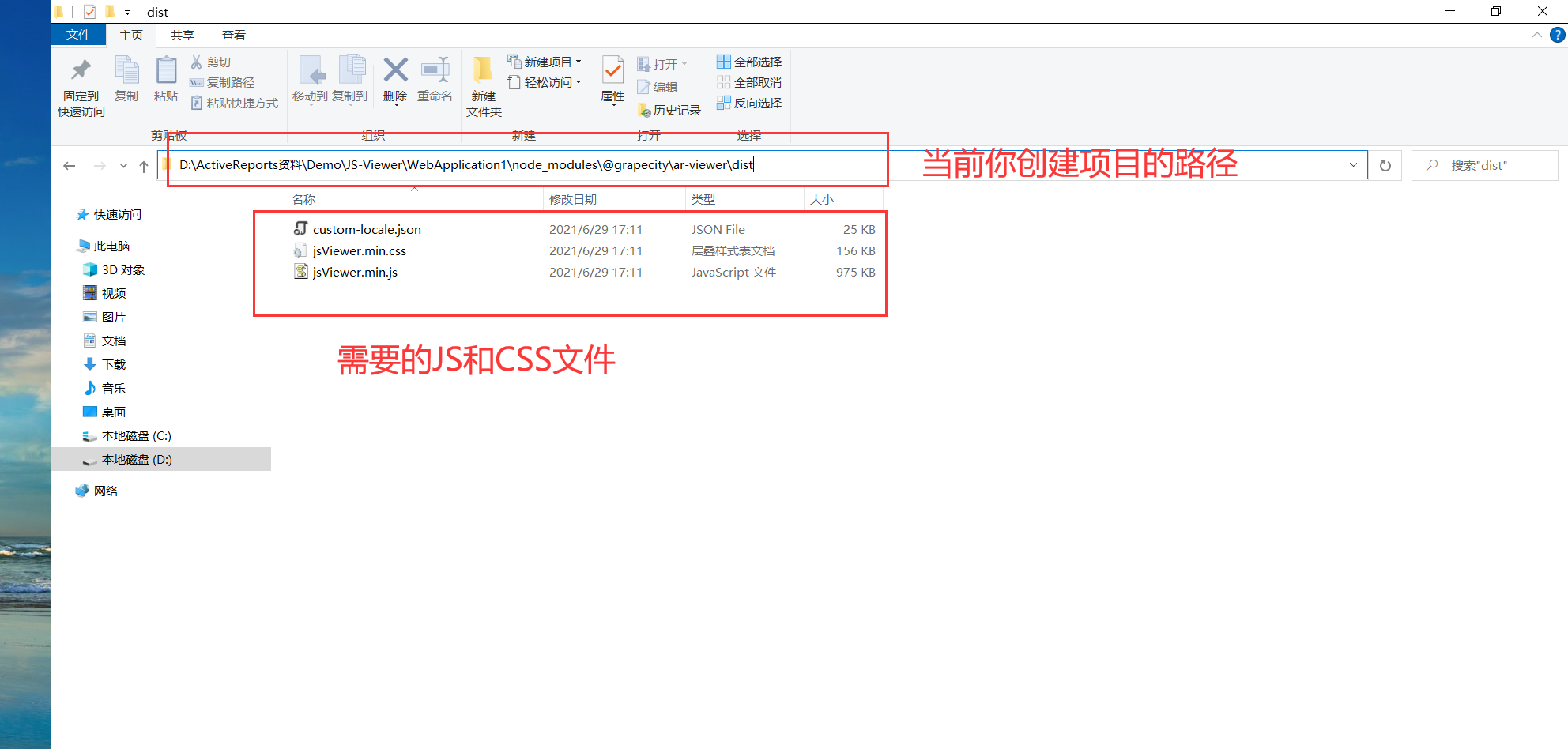
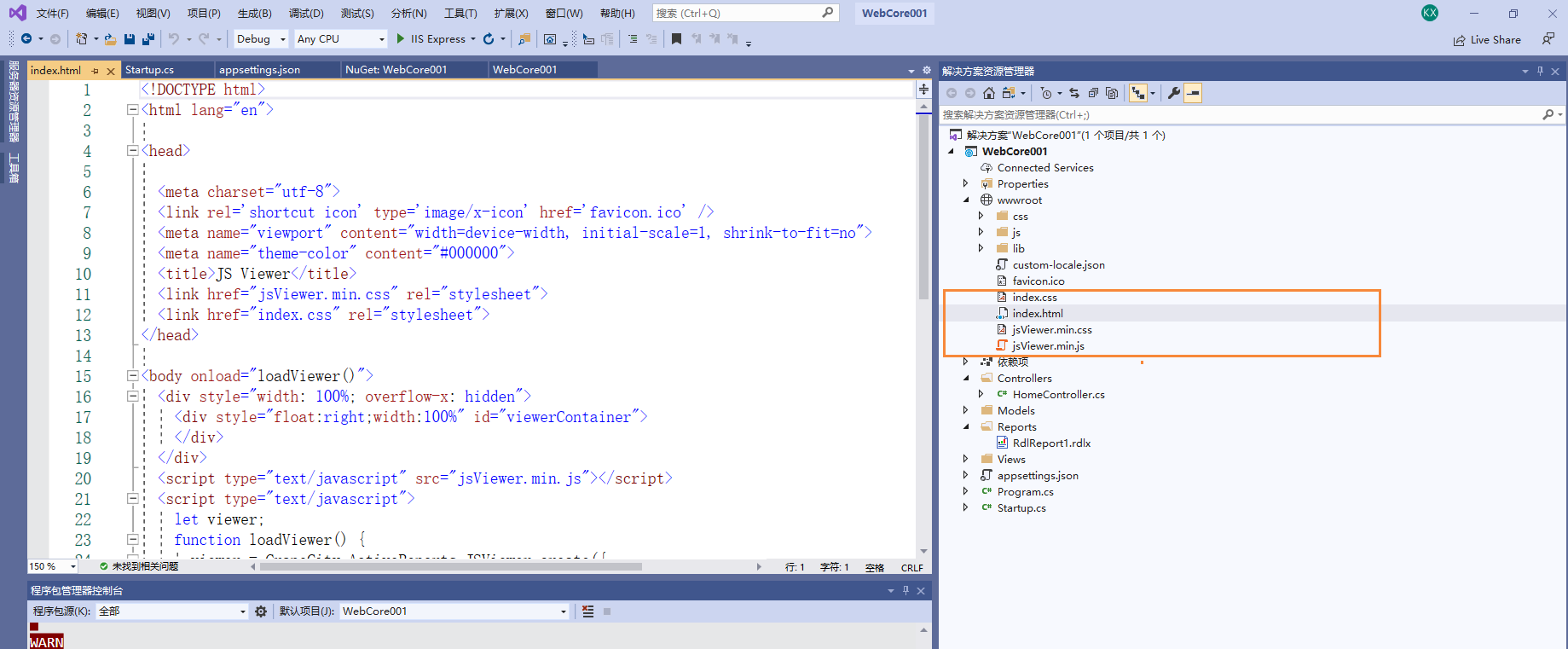
7、将jsViewer.min.js和jsViewer.min.css从'node_modules \ @grapecity \ ar-viewer \ dist'复制到应用程序的'wwwroot'文件夹中。
7.1 获取 JSViewer需要的资源文件
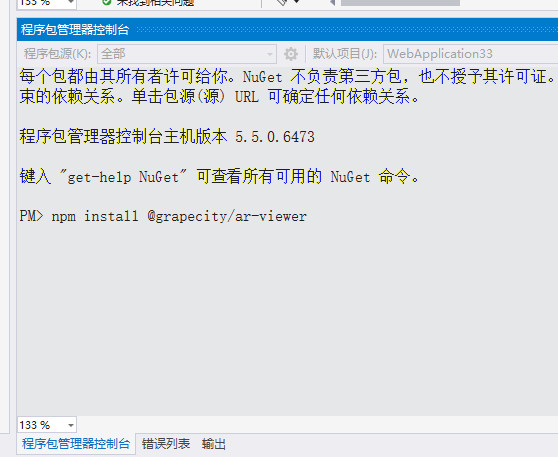
在VS 程序包管理控制台中输入命令:npm install @grapecity/ar-viewer,安装完成后可在新建"项目路径下"找到node_modules 文件夹,然后将所有文件拷贝到 Scripts路径
7.2然后在“ wwwroot”文件夹下添加一个HTML页面(例如,index.html)
8、打开Controllers文件夹下的HomeController.cs,删除所有Action方法并添加以下内容:
namespace WebCore001
{
    [Route("/")]
    public class HomeController : Controller
    {
        public object Index() => Resource("index.html");

        [HttpGet("{file}")]
        public object Resource(string file)
        {
            var stream = GetType().Assembly.GetManifestResourceStream("WebCore001.wwwroot." + file);
            if (stream == null)
                return new NotFoundResult();

            if (Path.GetExtension(file) == ".html")
                return new ContentResult() { Content = new StreamReader(stream).ReadToEnd(), ContentType = "text/html" };

            if (Path.GetExtension(file) == ".ico")
                using (var memoryStream = new MemoryStream())
                {
                    stream.CopyTo(memoryStream);
                    return new FileContentResult(memoryStream.ToArray(), "image/x-icon") { FileDownloadName = file };
                }

            using (var streamReader = new StreamReader(stream))
                return new FileContentResult(System.Text.Encoding.UTF8.GetBytes(streamReader.ReadToEnd()), GetType(file)) { FileDownloadName = file };
        }

        private string GetType(string file)
        {
            if (file.EndsWith(".css"))
                return "text/css";

            if (file.EndsWith(".js"))
                return "text/javascript";

            return "text/html";
        }

        [HttpGet("reports")]
        public ActionResult Reports()
        {
            string[] validExtensions = { ".rdl", ".rdlx", ".rdlx-master" };

            return new ObjectResult(
                typeof(HomeController).Assembly.GetManifestResourceNames()
                .Where(x => x.StartsWith(Startup.EmbeddedReportsPrefix) && validExtensions.Any(ext => x.EndsWith(ext, StringComparison.InvariantCultureIgnoreCase)))
                .Select(x => x.Substring(Startup.EmbeddedReportsPrefix.Length + 1))
                .ToArray());
        }
    }
}
9、修改index.html 页面
<!DOCTYPE html>
<html lang="en">

<head>

  <meta charset="utf-8">
  <link rel='shortcut icon' type='image/x-icon' href='favicon.ico' />
  <meta name="viewport" content="width=device-width, initial-scale=1, shrink-to-fit=no">
  <meta name="theme-color" content="#000000">
  <title>JS Viewer</title>
  <link href="jsViewer.min.css" rel="stylesheet">
  <link href="index.css" rel="stylesheet">
</head>

<body onload="loadViewer()">
  <div style="width: 100%; overflow-x: hidden">
    <div style="float:right;width:100%" id="viewerContainer">
    </div>
  </div>
  <script type="text/javascript" src="jsViewer.min.js"></script>
  <script type="text/javascript">
    let viewer;
    function loadViewer() {
      viewer = GrapeCity.ActiveReports.JSViewer.create({
        element: '#viewerContainer'
      });
      viewer.openReport("RdlReport1.rdlx");
    }
  </script>
</body>
</html>
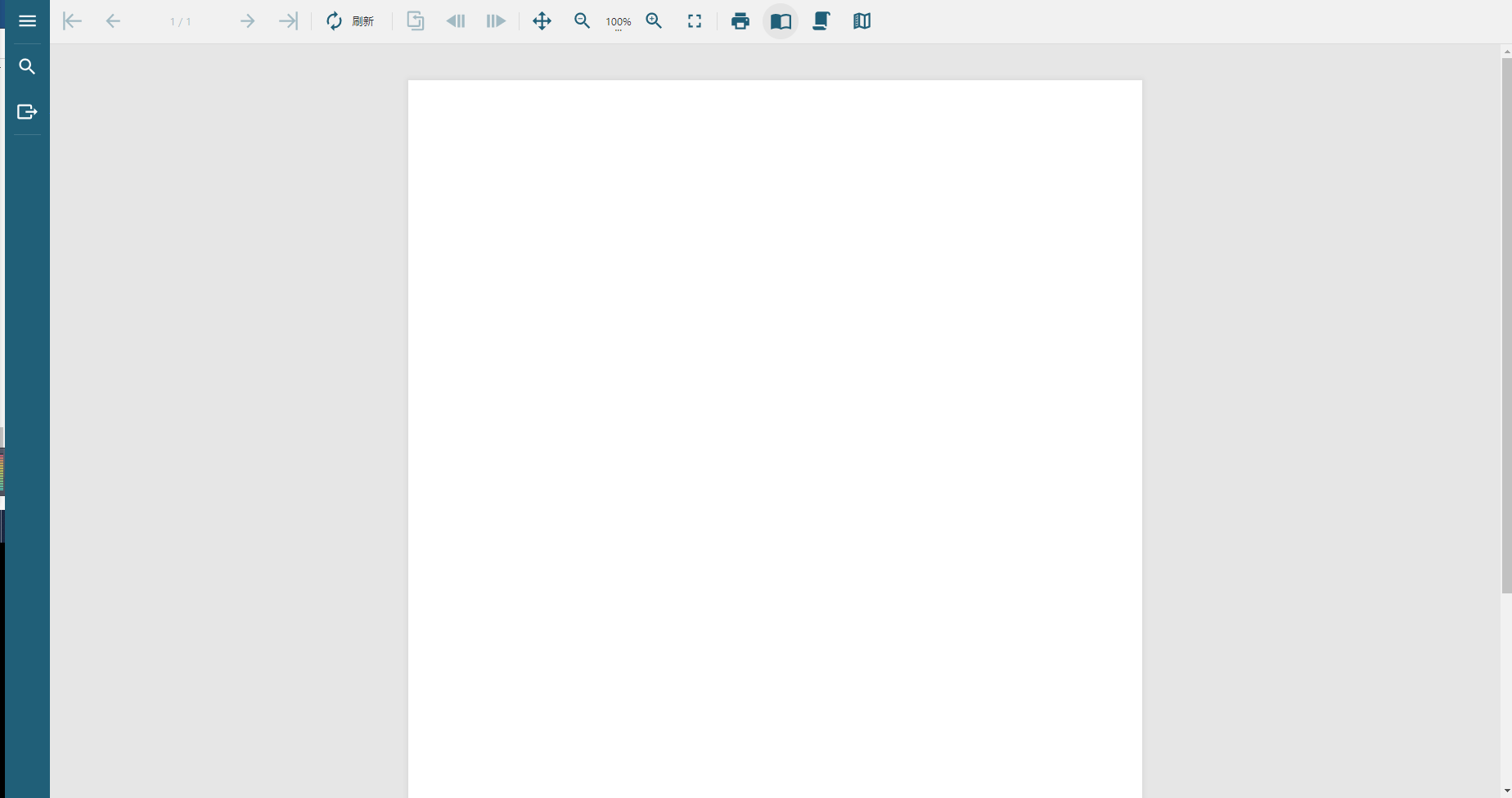
10、重新生成,预览展示
相关资源:
注意
如需寻求在线帮助,请访问 ActiveReports 求助中心
如需了解更多ActiveReports产品特性,请访问 ActiveReports 官方网站
ActiveReports 官方技术交流群:109783140
下载产品体验产品功能:http://www.gcpowertools.com.cn/products/download.aspx?pid=16